
So far in the Domo / Snowflake Cloud Amplifier series we covered connecting Snowflake to Domo for both read and write access. Now what? Domo has hundreds of different data connectors and we can now use those to write data directly to Snowflake.
Let’s use the Atom RSS Feed connector in Domo to capture the latest RSS feed from my blog (ericheilman.com) and drop the feed right into my Snowflake account with Cloud Amplifier.
Domo Setup
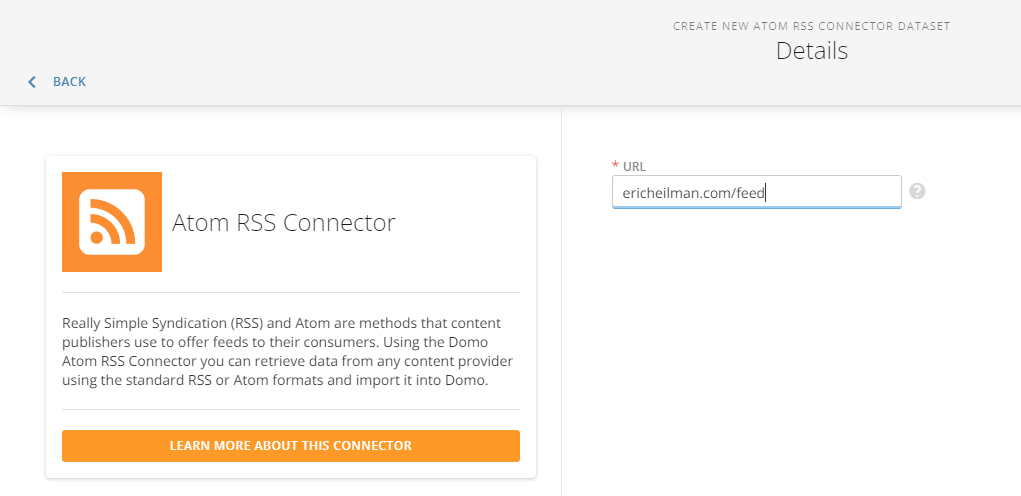
First, log in to Domo, click Data, then click Connectors. Search for Atom RSS and then click the Atom RSS icon. Enter the URL for the RSS feed (mine or whatever feed you want). Click Next.
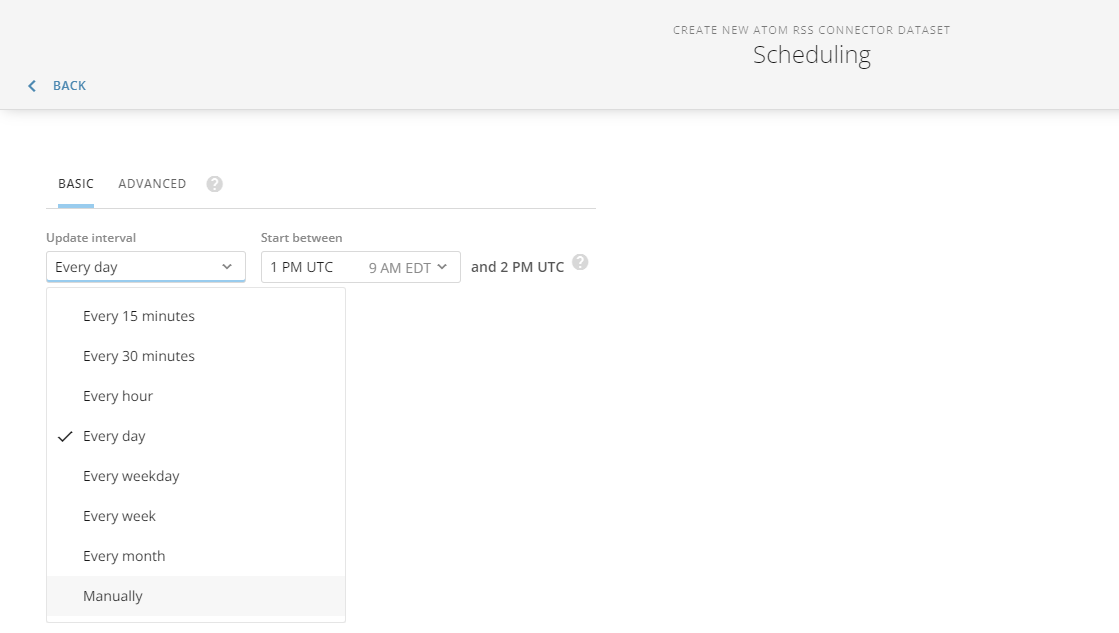
Establish whatever schedule you’d like. For demo purposes, I’ll set this to Manually so that it only runs once. This will help save on Domo and Snowflake credits. In a production environment, you’d set this to run as needed to meet your needs.
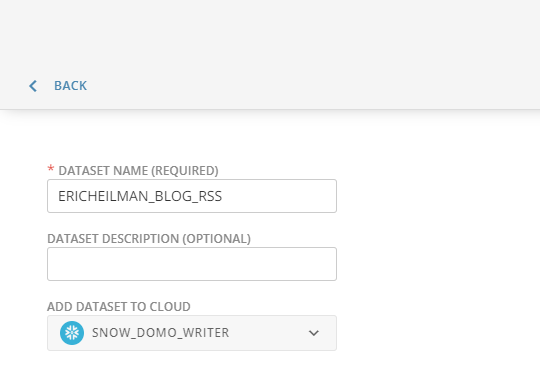
On the last screen is where we need to make a small change to write the data directly to Snowflake. First, give your dataset a meaningful name and description. Then change the selection box for “Add Dataset to Cloud” from Domo to the Snowflake Cloud Amplifier option. Making that change will write the data directly to Snowflake. Click “Save and Run”.
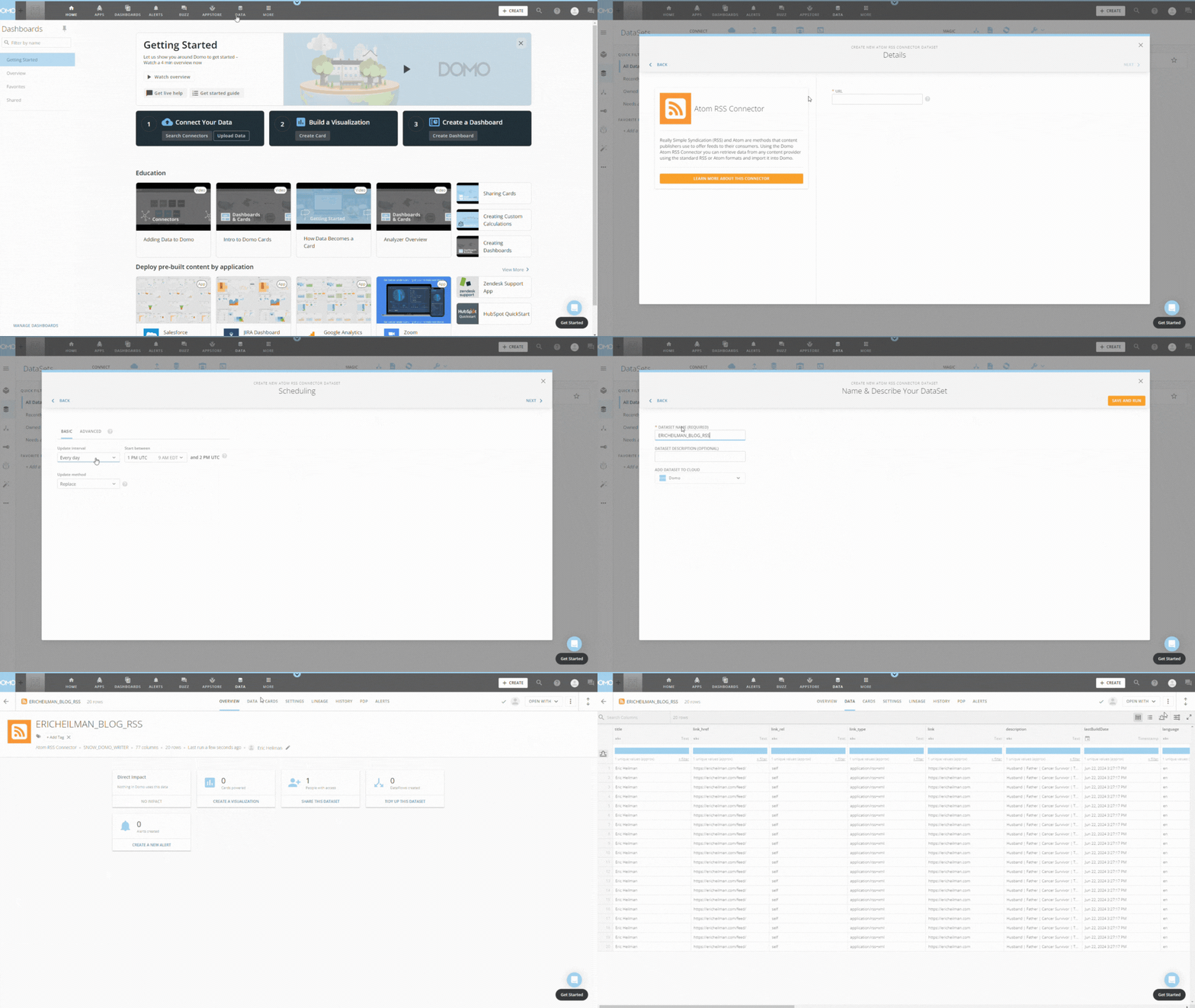
Domo will now pull the RSS Feed from my blog and write the data directly to my configured Snowflake account. As noted in my last post, Domo will write to a “cust_mmmm” schema in Snowflake. Hopefully, this will be more configurable in the future. Below is an animated walkthrough of the steps above.
RSS Data in Snowflake
Now that the Data Set has run, let’s look at Snowflake. Notice that in the cust_mmmm schema, there’s a table matching the name of our Domo Data Set. We can query it just like any other Snowflake table but note that the column names are set by the connector. In this case, the column names are lowercase and need to be wrapped in quotes.

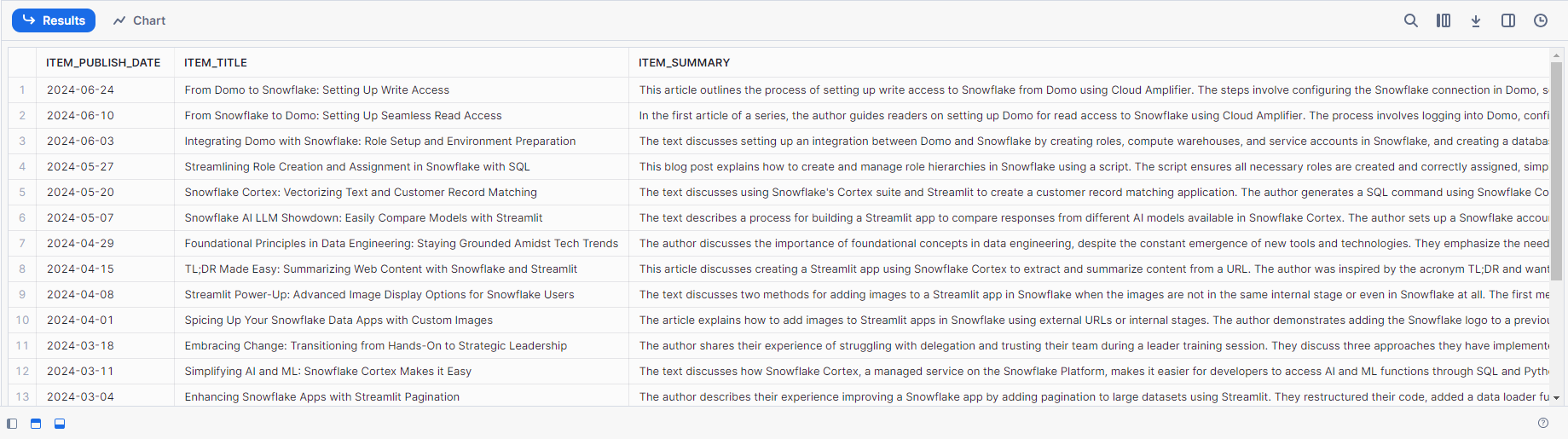
With the data in Snowflake, that opens up all kinds of possibilities for advanced data work. A quick example would be to use the Snowflake Cortex Summarize function to summarize the articles in the feed.
SELECT
    "item_pubDate"::DATE as ITEM_PUBLISH_DATE,
    "item_title" AS ITEM_TITLE,
    SNOWFLAKE.CORTEX.SUMMARIZE("item_encoded") AS ITEM_SUMMARY
From
    ERICHEILMAN_BLOG_RSS;
Conclusion
Integrating Domo with Snowflake through the Cloud Amplifier significantly enhances your data management capabilities. Using Domo’s vast array of connectors, you can seamlessly transfer data, such as an RSS feed, directly into Snowflake. This setup not only simplifies the data ingestion process but also leverages Snowflake’s powerful analytics tools for advanced data processing.
The example provided demonstrates how straightforward it is to configure and run this integration, paving the way for more efficient and versatile data workflows. With data in Snowflake, you’re equipped to unlock deeper insights and drive better decision-making.
Follow me on LinkedIn and Medium for more content on Data Management and demos including Snowflake, Streamlit, and SQL Server.
 Eric Heilman